Symptom
A Microsoft 365 or Google Workspace backup completes with one of the following warnings:
- "[X] new files could not be retrieved and are not present in this backup. Recovering this backup will not recover these files."
- "The most recent versions of [X] files could not be retrieved for backup. Recovering this backup will recover previous versions of these files."
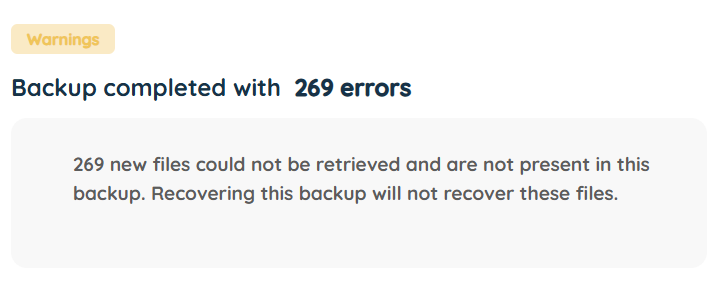
This can happen for any of the Microsoft 365 services (Exchange, OneDrive, SharePoint, Teams) or Google Workspace services (Google Drive, Gmail, Google Classroom).
Cause
These warnings are usually the result of an issue with the cloud service provider's API, i.e. Microsoft or Google. The warning appears when an item (e.g. file, email, attachment) is temporarily unable to be backed up, and while this does not cause the backup to fail, it does mean that the item will not be included in the backup and will not be available for recovery as part of that backup. Our system does not allow for listing of the item names, which is why we only show the number of items that encountered this problem during the backup.
- In the case of the first warning (new file not present), a reference for the file will have been added to the backup, but with no thumbprint. If you were to restore from this original backup, the file would not be available. However, during the next backup, even if the file was not modified, we will back it up and the file will be available for recovery.
- In the case of the second warning (most recent version could not be retrieved), a reference for the file will have been added to the backup, along with the thumbprint of the previous (not latest) version of the file. If you were to restore from this original backup, the latest version of the file would not be available for recovery, but the previous version would. During the next backup, we will backup the latest version of the file, which will then be available for recovery.
The issue usually resolves by itself within a few days.
Solution
For both warnings, the best approach is to wait for the next backup to run. You will only need to log a support ticket if the issue persists for several days.
To confirm that backups have resumed, you can use the Storage Platform Console to run a Backup Account Activity Analysis report for each affected account.
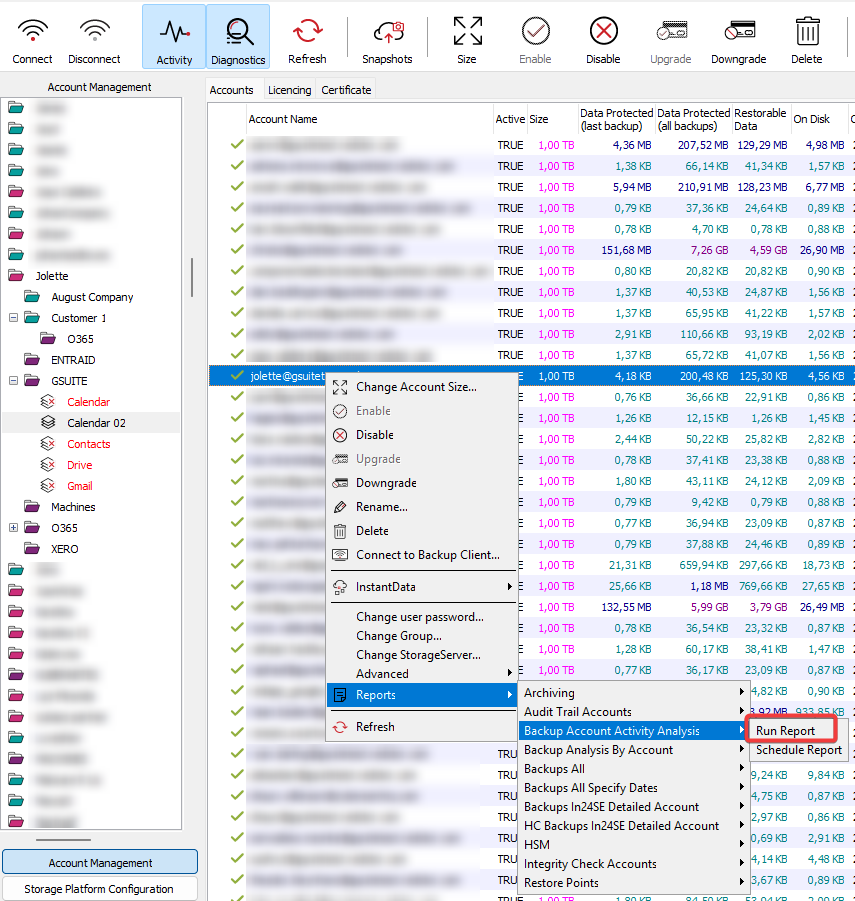
- Read more about Console reports in Article 107.
- If you do not have a Console, you can request a user by following these steps, then download the Console installer from our Latest downloads page.
Was this article helpful?
That’s Great!
Thank you for your feedback
Sorry! We couldn't be helpful
Thank you for your feedback
Feedback sent
We appreciate your effort and will try to fix the article