To use the RedAPI, you will need a service account. To create one, follow the steps below.
1. In the RedApp, click on the RedAPI icon at the top right.
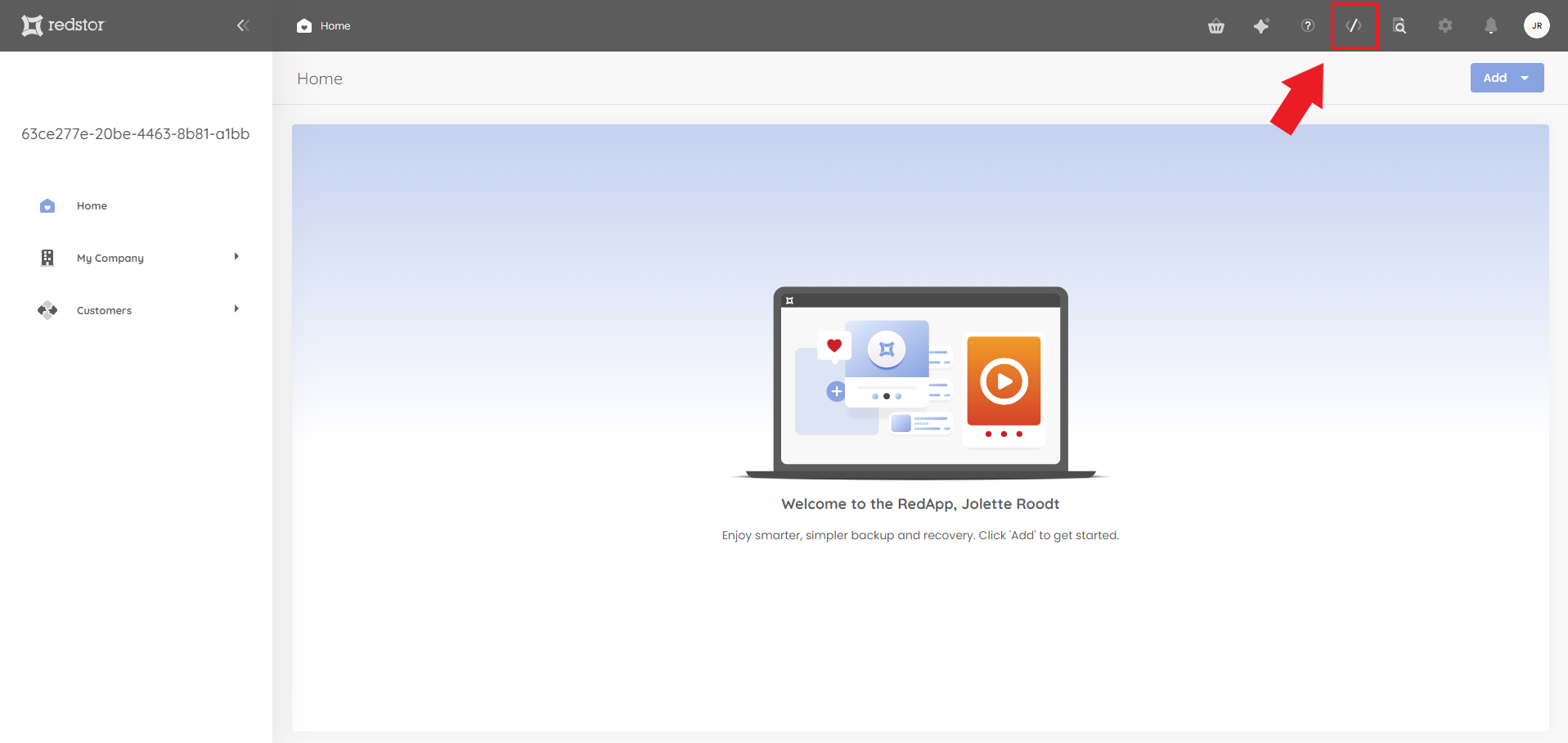
Note: If you would like to make use of the RedAPI but you do not see the RedAPI icon in the RedApp, please contact your account manager to arrange access.
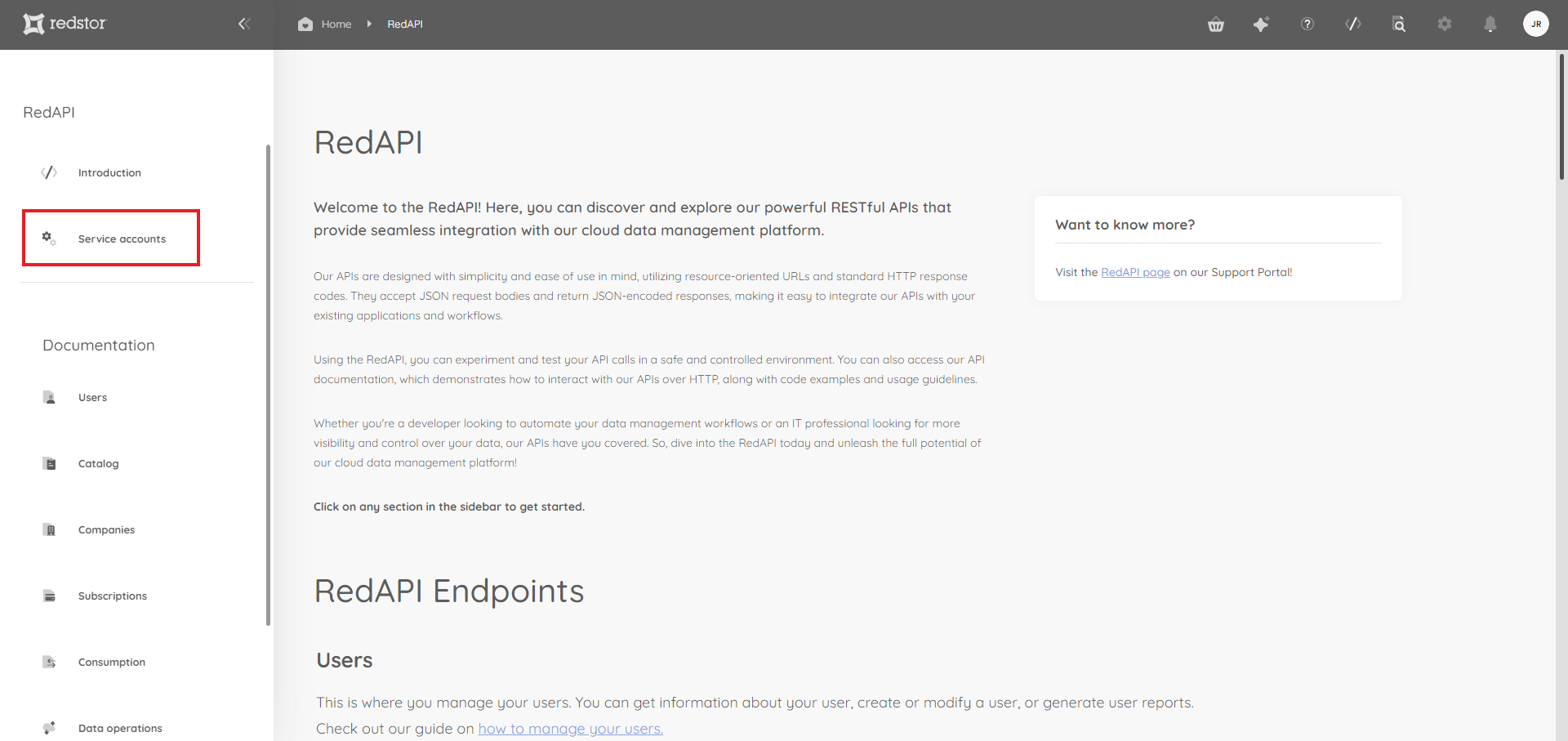
2. On the RedAPI page, click on Service accounts in the sidebar.
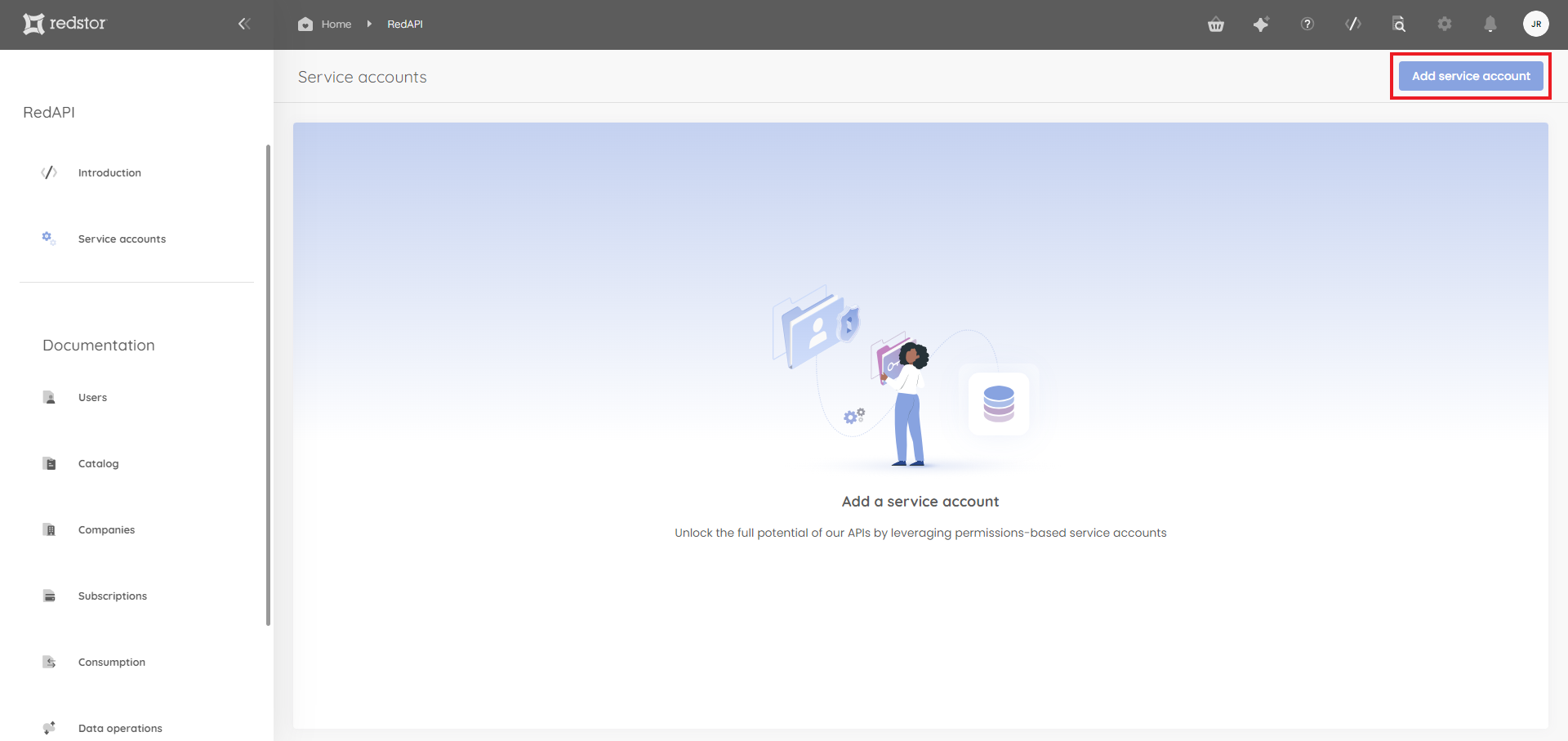
3. Click on Add a service account at the top right.
4. Under Service account details, add a name and description for the account.
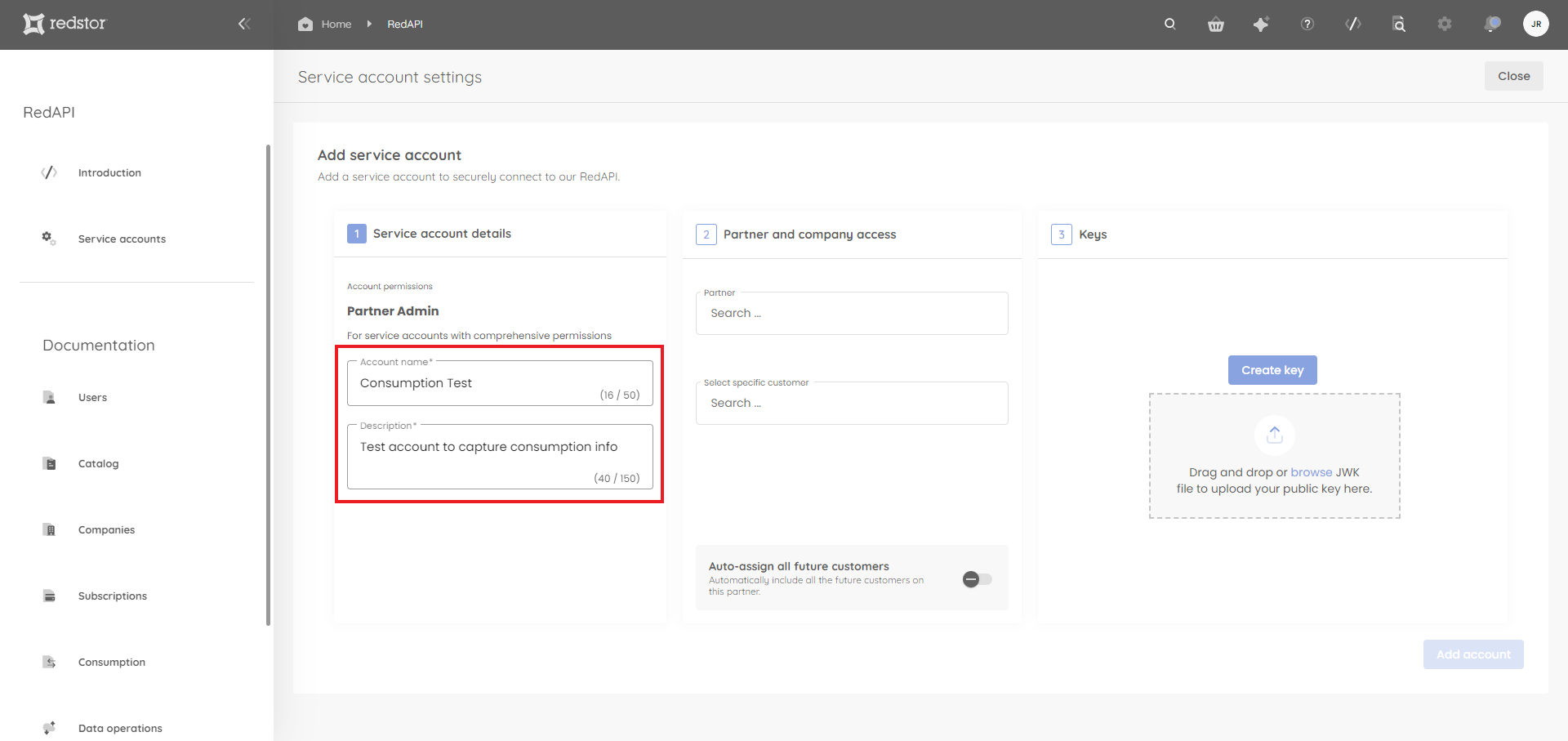
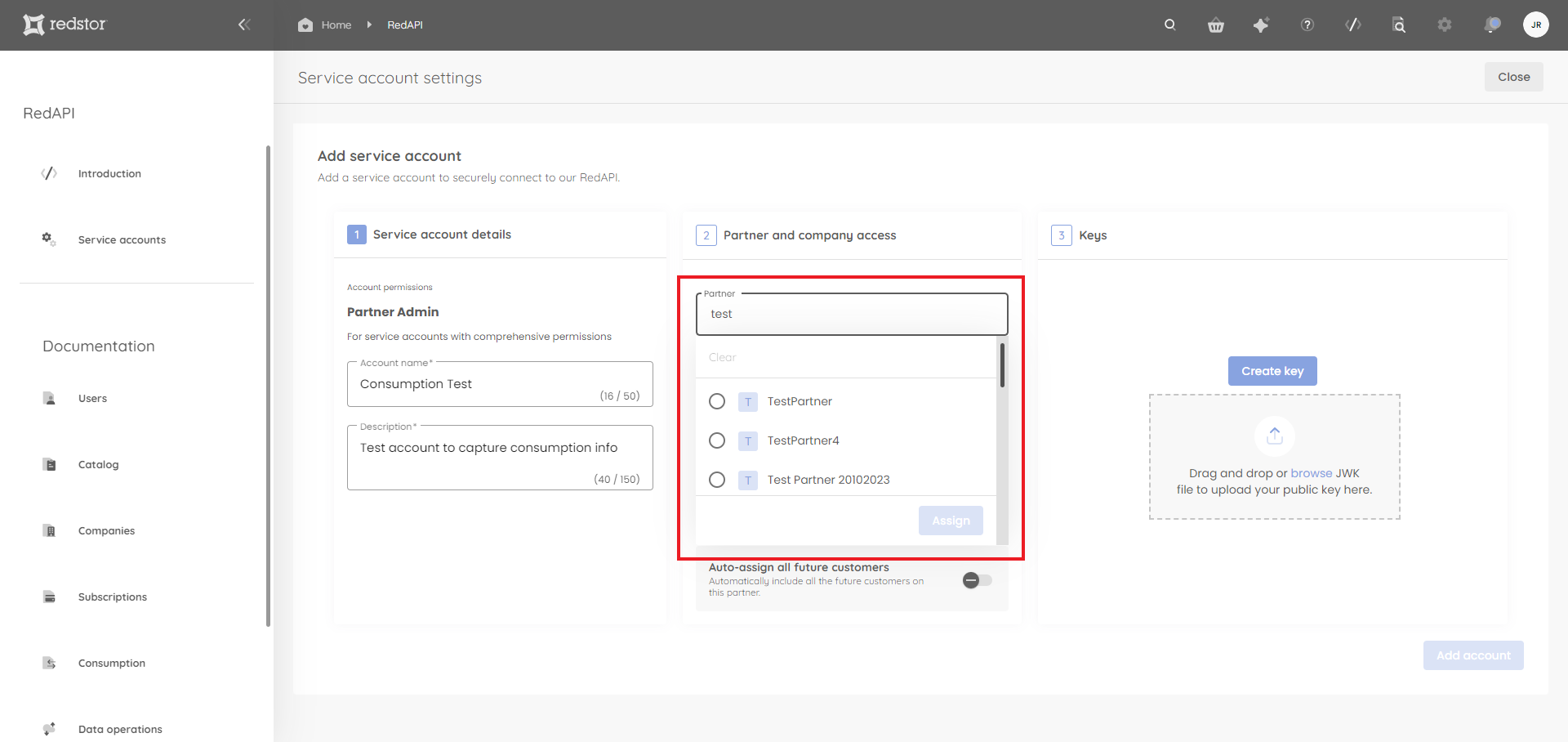
5. Under Partner and company access, select a partner from the menu or search for a specific partner. When you're ready, click Assign.
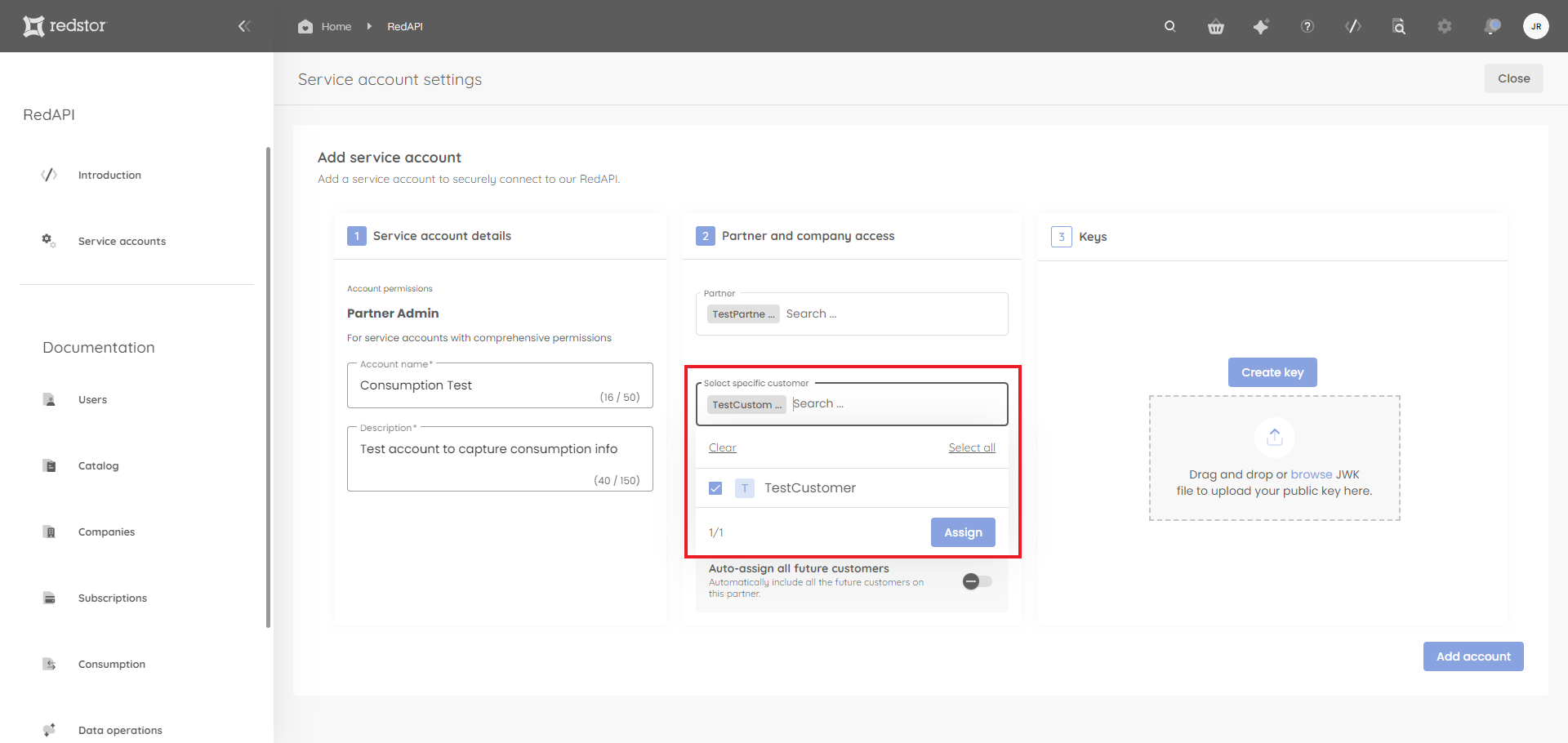
A list of customers under this partner will automatically be shown in the Select specific customer field. There, you can include/exclude customers by ticking/unticking company names from the list. The default is for all customers to be selected. When you're ready, click Assign.
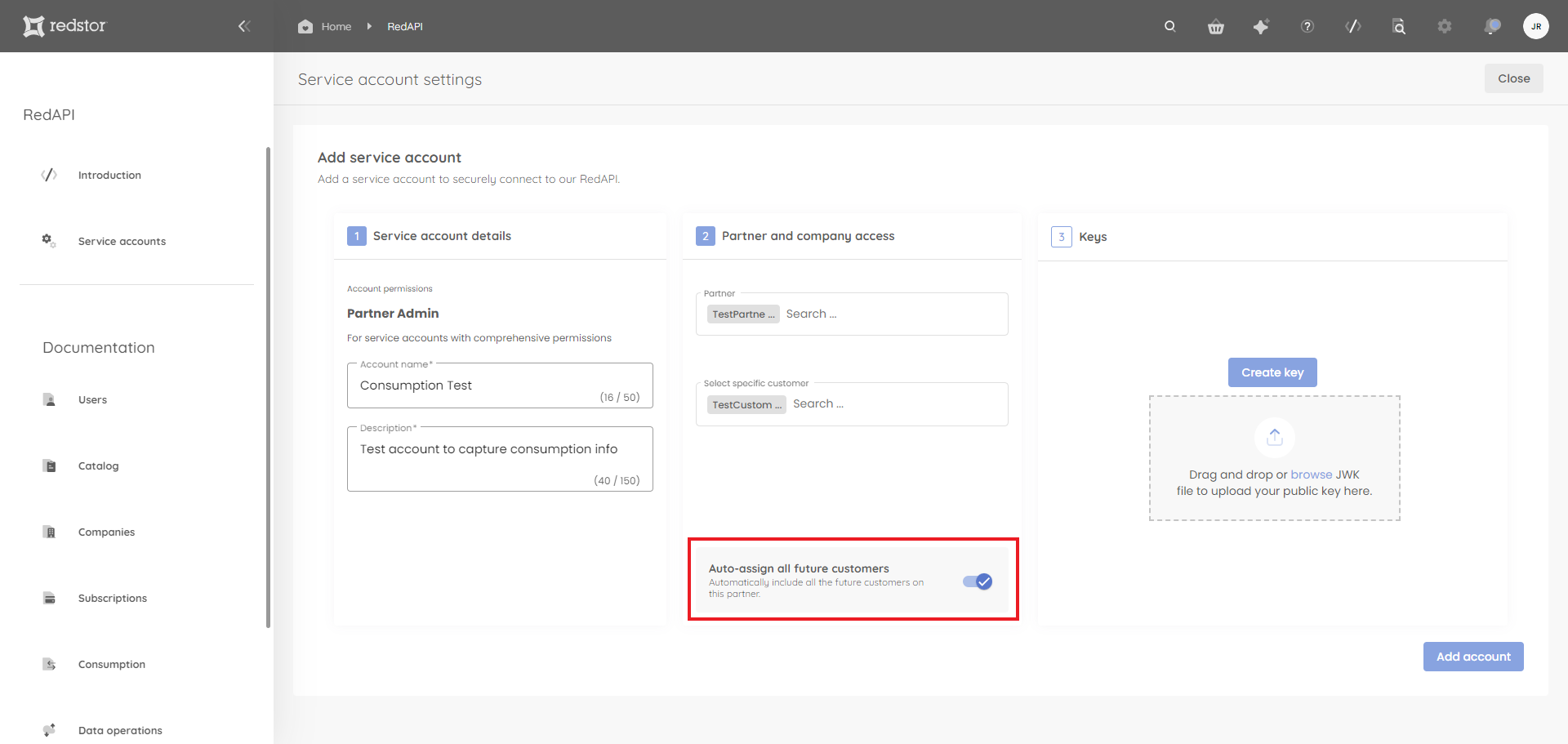
If you want new customers to have RedAPI access by default, you can enable Auto-assign all future customers.
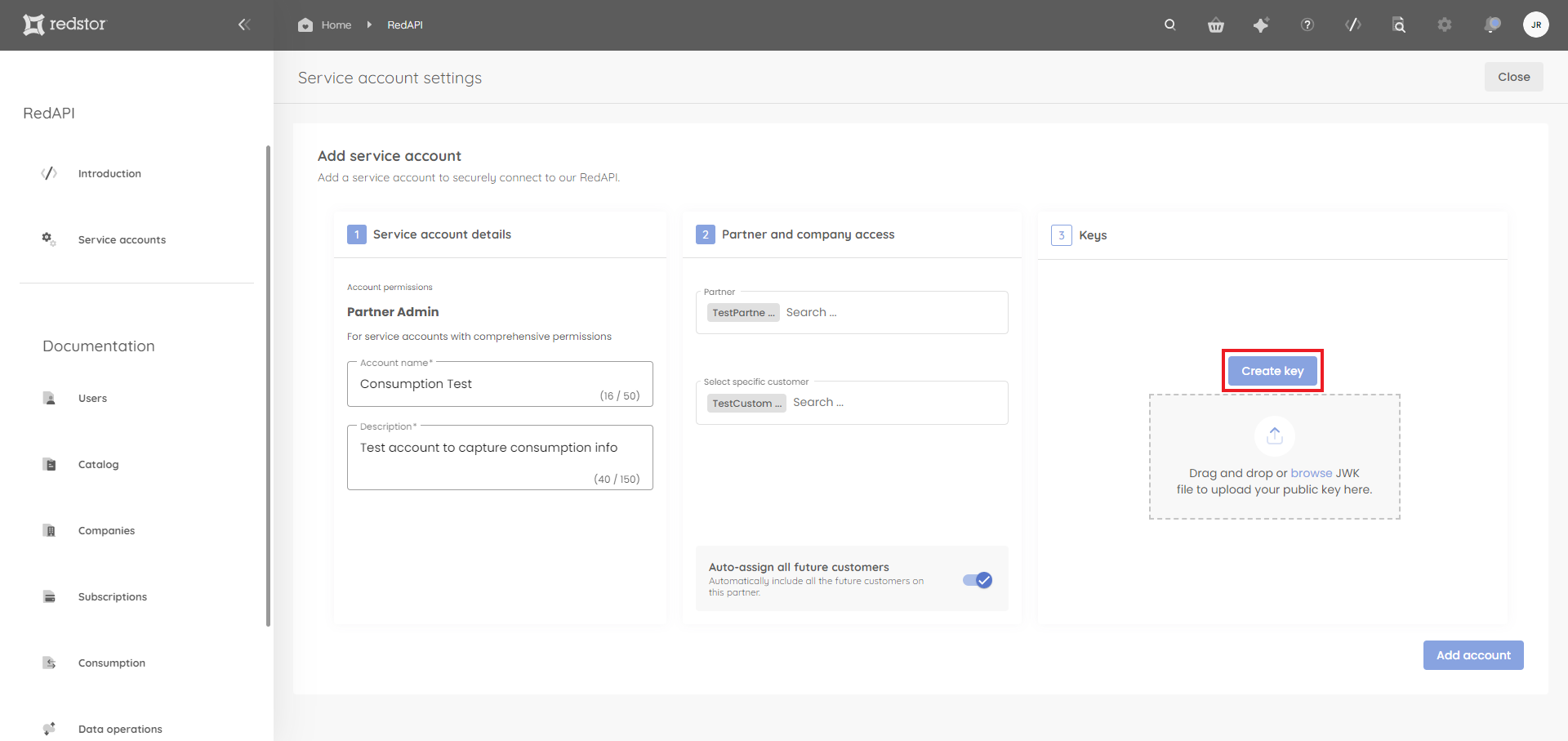
6. Under Keys, click Create key.
7. Provide a descriptive name for the key. Then click Next.
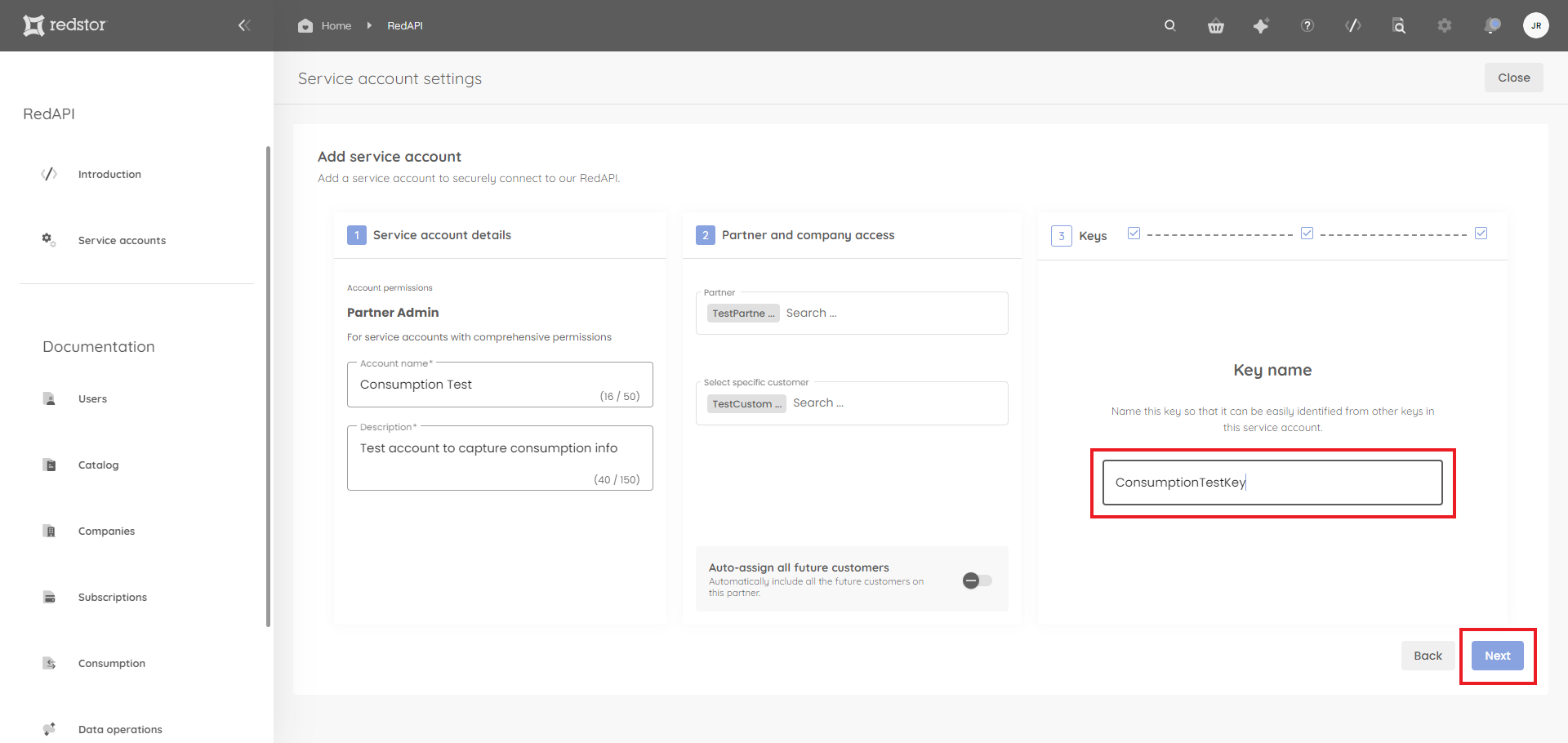
8. You will now need to authenticate with your RedApp credentials. A private and a public key will be generated. Click Download to save the keys to a location of your choice. Then click Done. Click Add account to finish the setup.
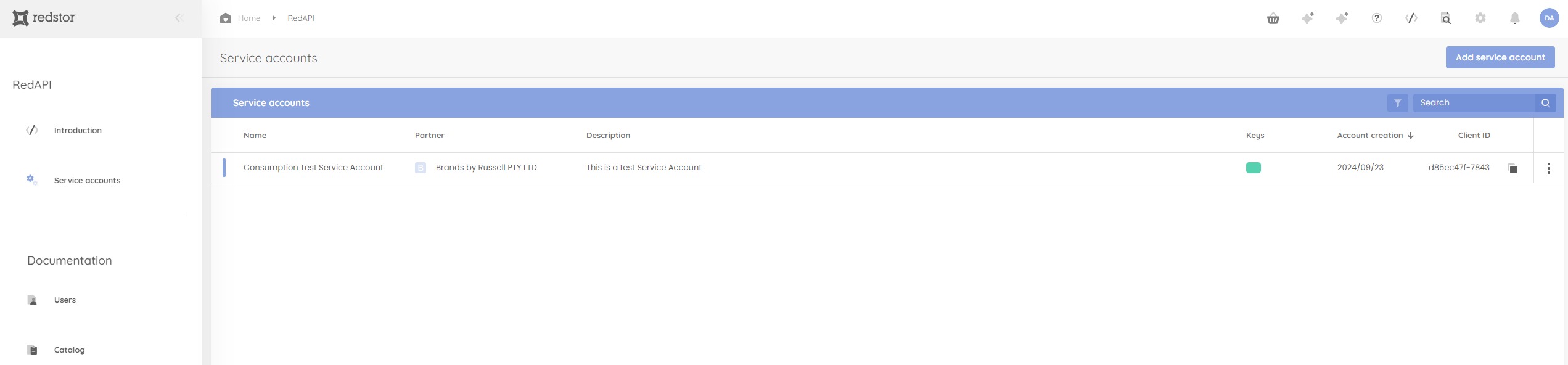
9. The newly created account, with its client ID, will now appear in the list on the Service accounts page.
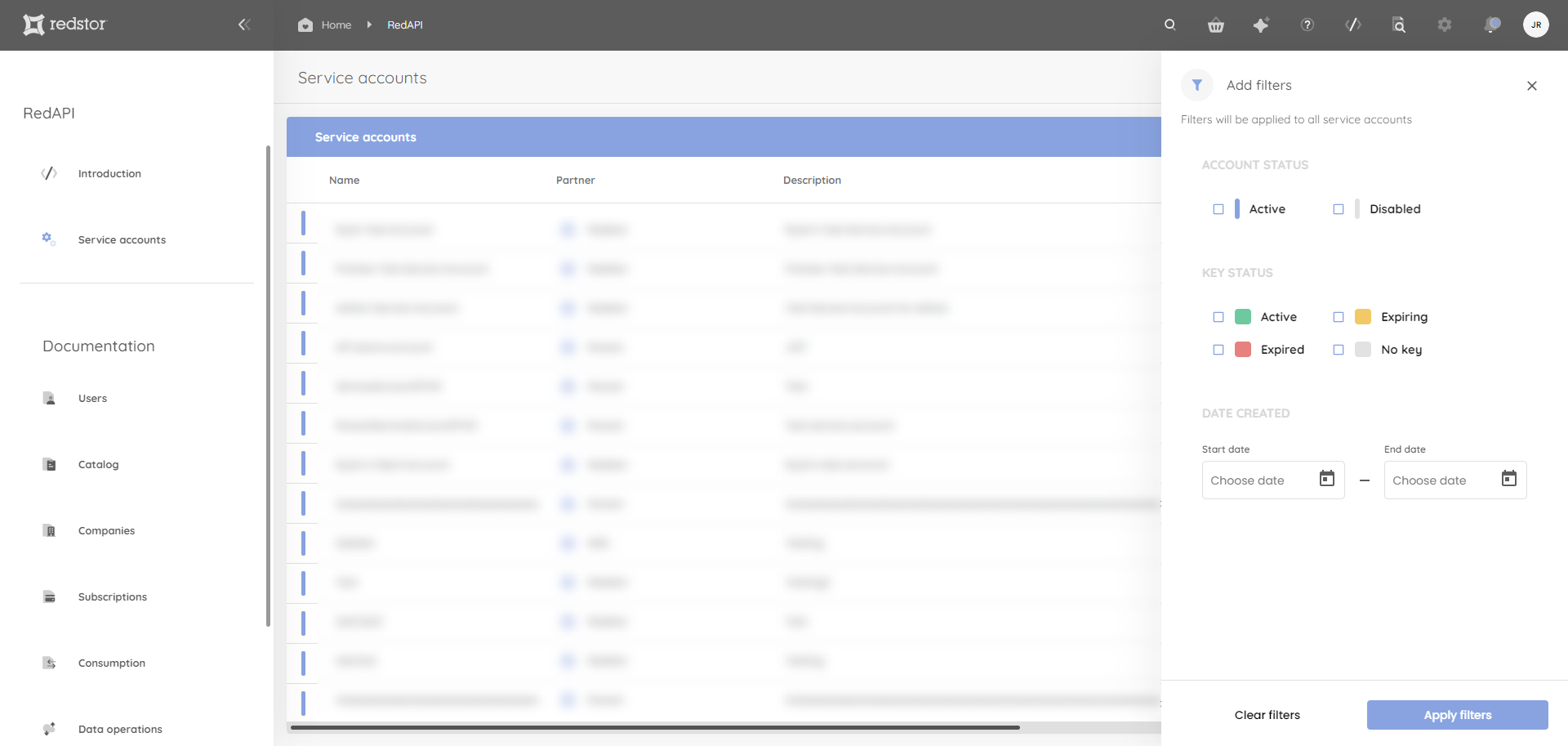
You can filter this list by clicking on the filter icon at the top right of the table, next to the search field. You can filter by account status, key status or account creation date.
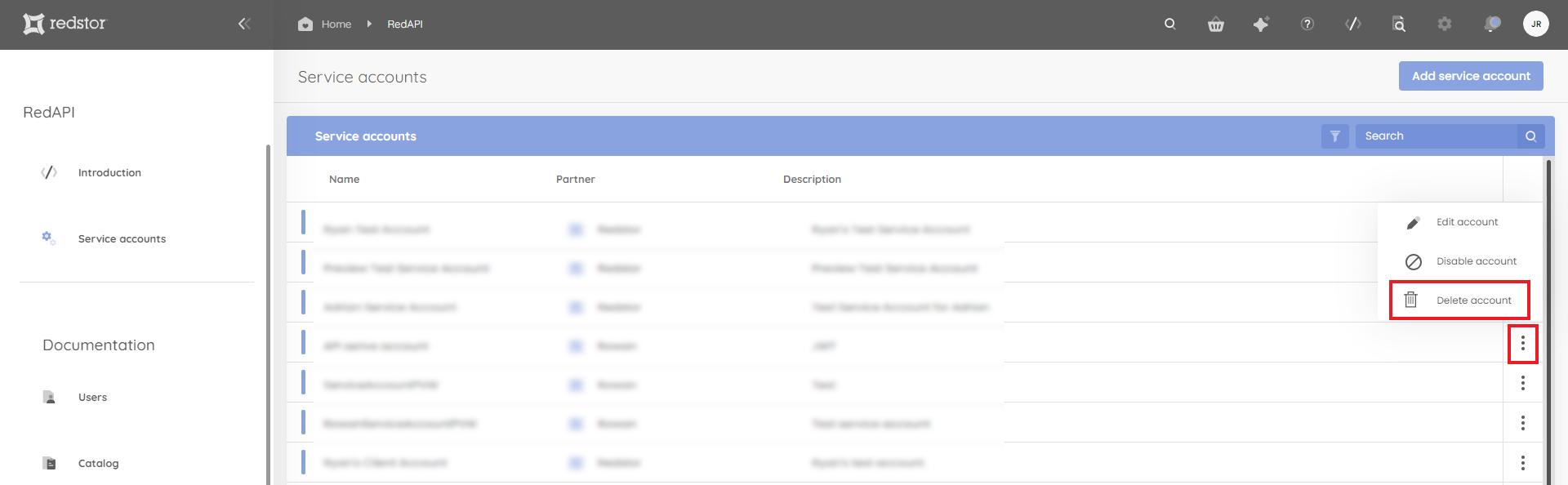
10. If you need to delete an account, locate the account in the list on the Service accounts page. Click on the menu (ellipsis) to its right and click Delete account. You will need to confirm the deletion and authenticate with your admin credentials.
Was this article helpful?
That’s Great!
Thank you for your feedback
Sorry! We couldn't be helpful
Thank you for your feedback
Feedback sent
We appreciate your effort and will try to fix the article