In April 2025, Microsoft announced they are actively working to remove Exchange Web Services (EWS) dependencies in all Microsoft products, including Outlook, Office, and Teams. A more recent update can be found on the Exchange Team Blog.
Some backup and recovery users have seen warnings such as the following in the Microsoft message centre:
In October 2026 we will begin disabling EWS on all M365 tenants worldwide. EWS Applications that have not been migrated will stop functioning. |
In preparation for Microsoft's plan to deprecate the EWS API, we are increasing our use of the Graph API in our Exchange backup and recovery product. Our system will be fully migrated to the Graph API before the EWS API is switched off, and we do not foresee a substantial impact on backup and recovery.
Below are actions you can take to prevent any issues in the meantime.
Update Exchange permissions
As part of the migration to the Graph API, we require admins to update the permissions of all existing Exchange backup sets in the RedApp as soon as possible after 21 July 2026. A banner will be shown for all relevant backup sets to remind you to take this action.
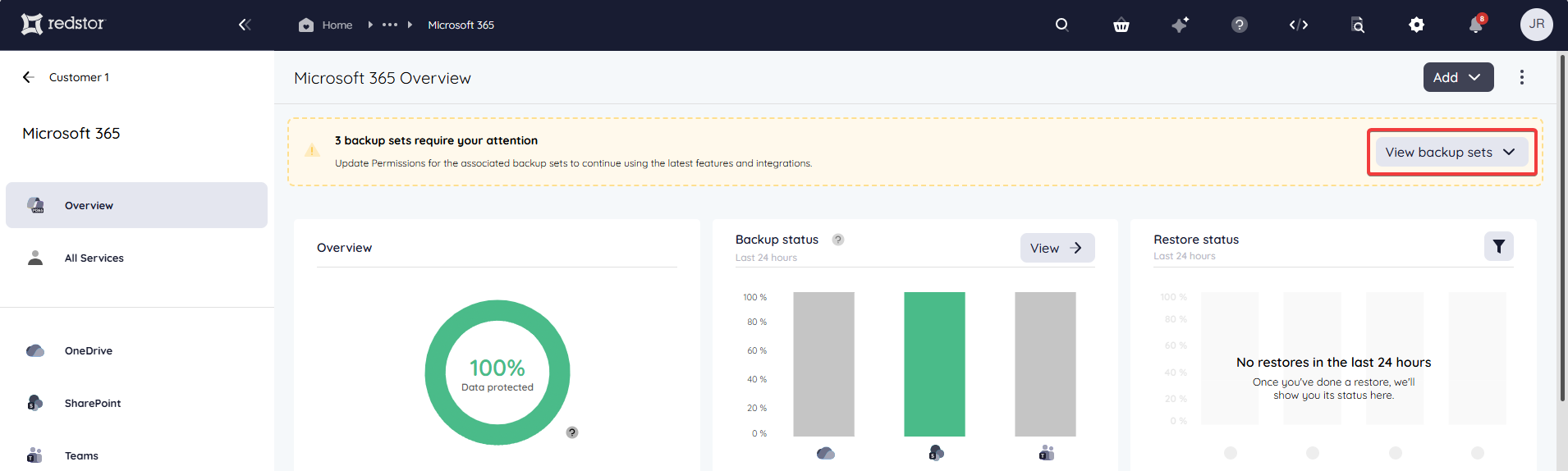
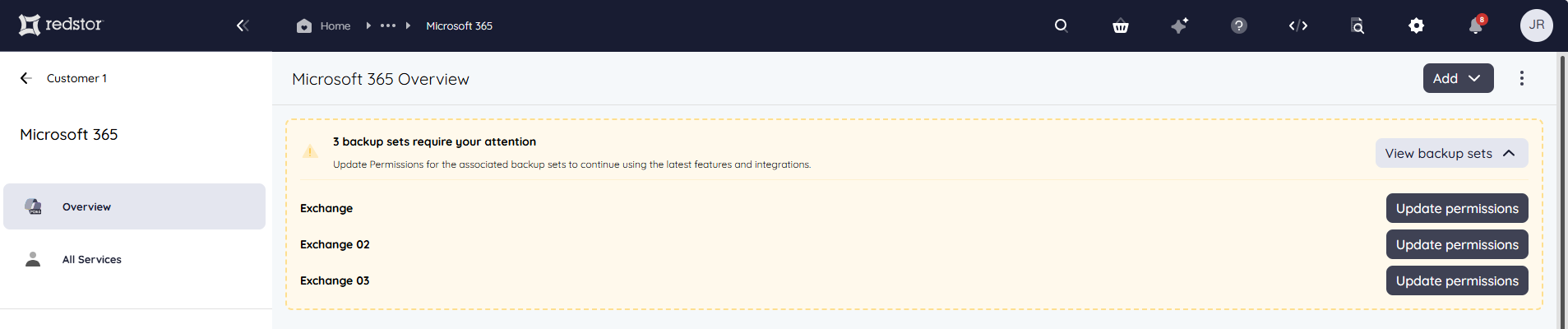
Clicking on Update permissions will take you to a consent screen where you can grant the additional permissions that are required. There are four additional permissions, all of which are read-only: three for reading mailbox folders and exporting mail items, and one for looking up archive mailboxes. These permissions do not allow our system to send, modify, or delete anything.
- You will only need to update the permissions once per tenant.
- Permissions can only be updated by M365 global admins.
- New customers will now grant these permissions as part of onboarding onto the RedApp.
Review access to EWS
If your Exchange backups are completing with errors, you may need to review your organisation's access to EWS. After changes introduced by Microsoft in April 2025, EWS will only be allowed if both the organisation-level and the user-level EWSEnabled flags are set to True. Read more here:
- The way to control EWS usage in Exchange Online is changing | Microsoft Community Hub
- Control access to EWS in Exchange | Microsoft Learn
Reach out to us
- If you have granted the additional permissions but you still see the banner asking you to update, please log a support ticket.
- If you have any questions, please reach out to your managed services provider or account manager.
Was this article helpful?
That’s Great!
Thank you for your feedback
Sorry! We couldn't be helpful
Thank you for your feedback
Feedback sent
We appreciate your effort and will try to fix the article