Partners who signed up to Redstor after 15 January 2024 have the ability to customise their Microsoft 365 backup retention policies from the RedApp. User permissions can be set so that only specific users are able to edit policies.
Note: Retention policies do not apply to Microsoft Entra ID backups. The retention period for all Entra ID data is 7 years (84 months) with no roll-ups, and this cannot be changed either from the RedApp or the Storage Platform Console.
Microsoft 365 policies can be viewed, added to, and modified by going to All Policies in the sidebar. You can specify how long to retain data for each of the Microsoft 365 services, as well as how many daily and monthly backups you wish to keep.
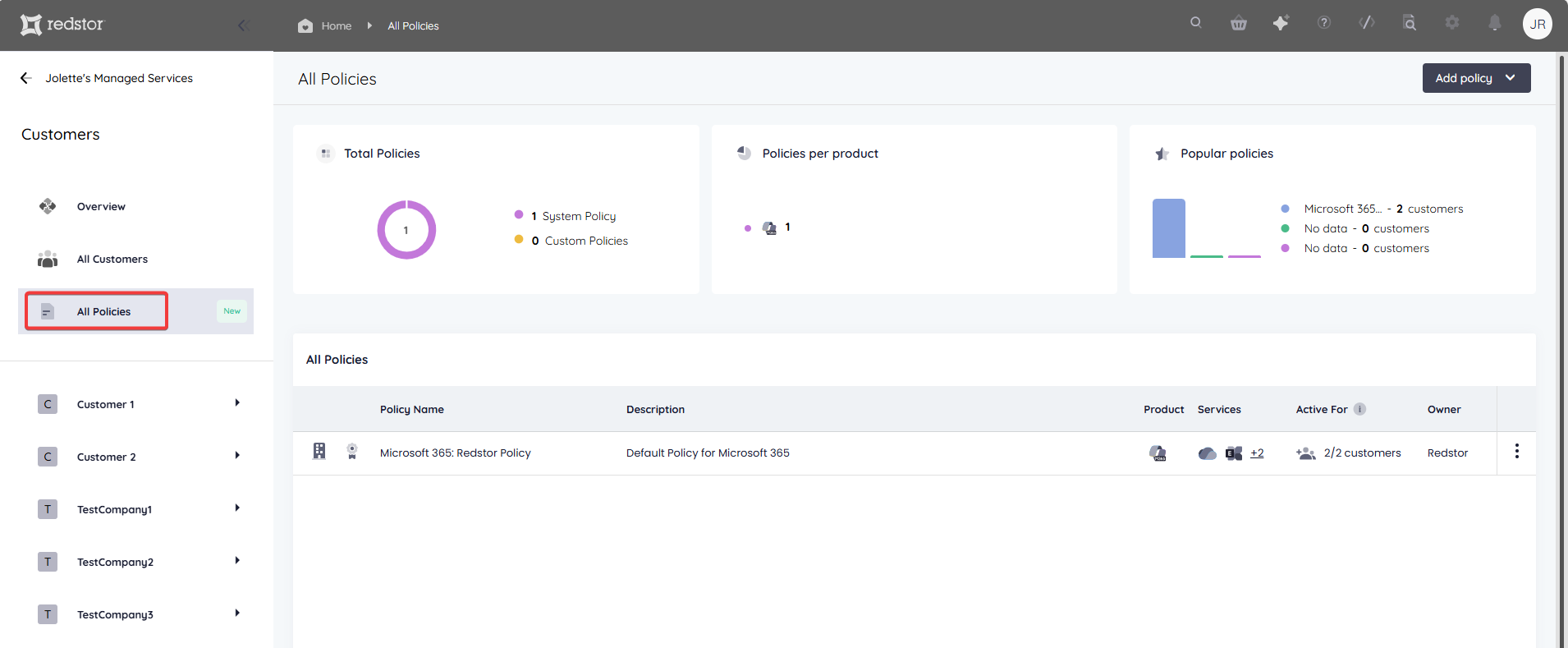
To add a new policy, click Add policy at the top right and select Microsoft 365. 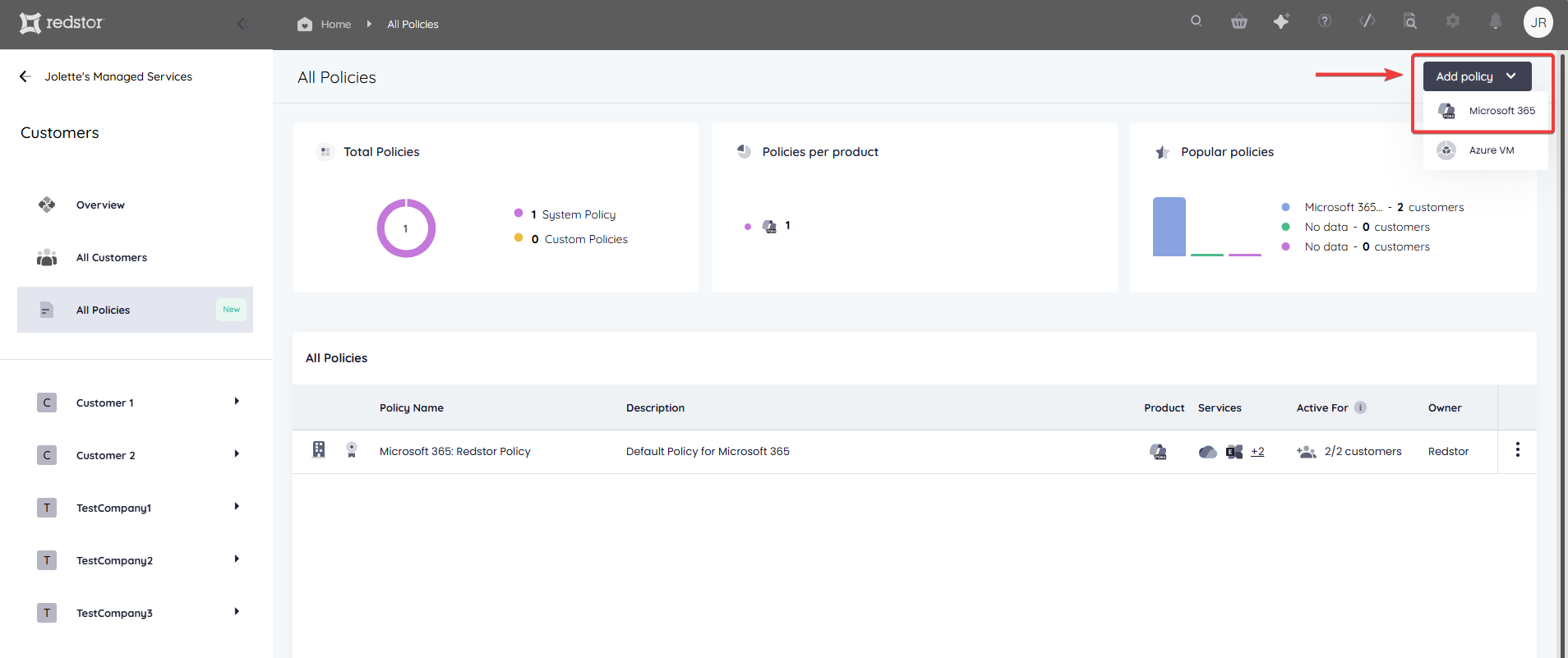
Each policy can be set to apply to specific customers (or all customers), with the option to automatically apply to new customers. You can also apply the policy to your own organisation. When you're ready, click Save policy at the top right.
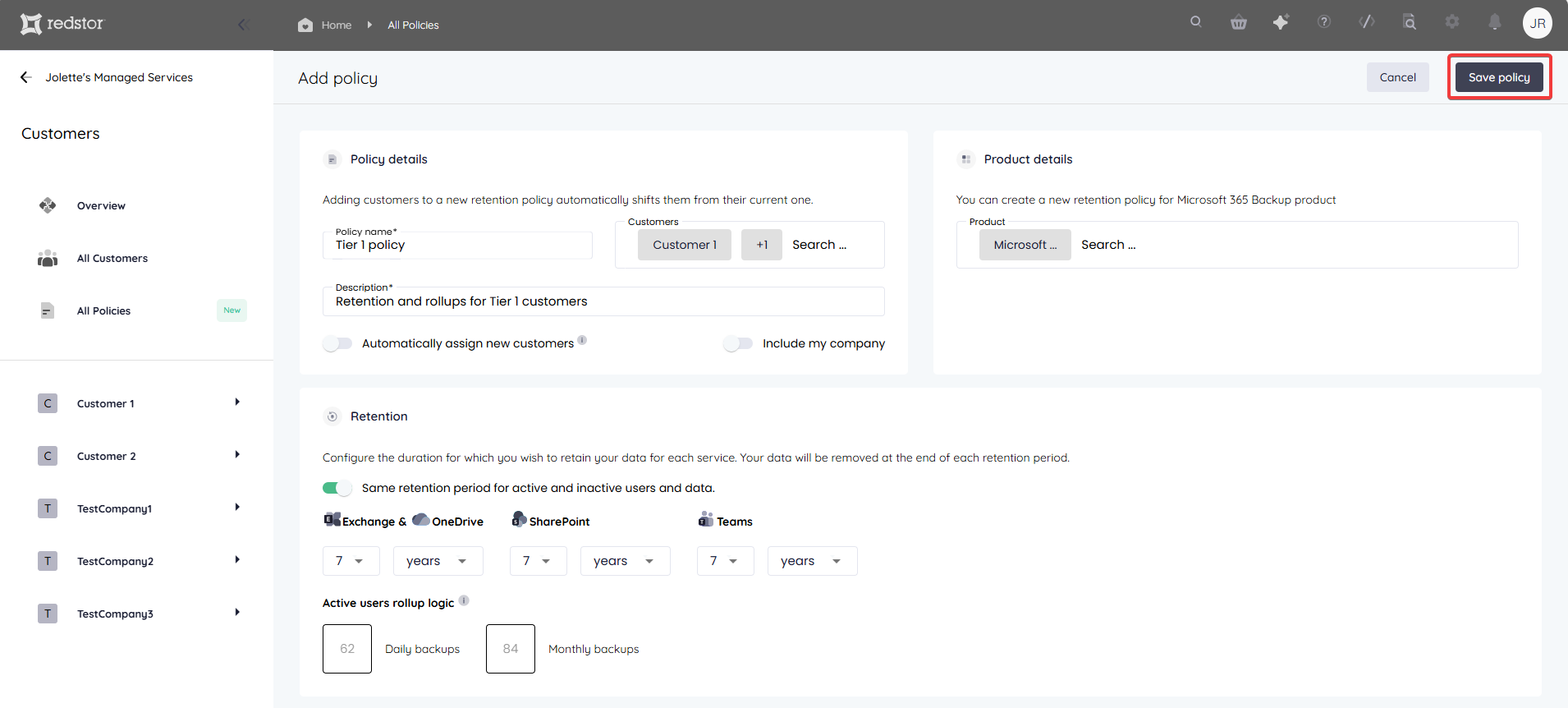
For Microsoft 365 backups, the default retention is 62 daily backups (approximately 2 months) and 84 monthly backups (7 years). Retention in both cases is based on a rolling window. For daily backups, on day 63 you will no longer be able to access files that were backed up on day 1 but were since deleted from the backup set.
Daily backups from the first month will age out of the rolling window until only the backup from the last day of that month is left. This month-end backup is all that is retained from that month, and it becomes the first of the 84 monthly backups that are retained. Files that are not included for backup at the time the month-end backup runs, such as files that were deleted during the month, will not be recoverable after more than 62 days, i.e. from the time only the month-end is retained.
Similarly, from month 85 (the beginning of year 8) of retention, you will no longer be able to access files that were included only in the month-end backup from month 1.
On the Add policy screen, you have the option to edit the default of 7 years (84 monthly backups) for any or all of your M365 services. Note that very long retention periods may have an impact on billing, as per our usage policy. Check the rollup logic numbers at the bottom of the screen to get an indication of how many backups will be kept.
By default, a policy applies to both active and inactive accounts. However, you have the option to set different policies for active and inactive accounts. For example, you can set inactive accounts and their data to be deleted when the specified retention period lapses.
Was this article helpful?
That’s Great!
Thank you for your feedback
Sorry! We couldn't be helpful
Thank you for your feedback
Feedback sent
We appreciate your effort and will try to fix the article